Saturday, 18 June 2016

Arduino control motor DC direction

pada post ini saya akan memberi contoh penggunaan arduino sebagai kontrol arah motor dc.
disini motor dc dikendalikan dengan terminal atau serial monitor jika kalian kirim '1' maka motor dc akan bergerak maju dan jika kirim '2' motor dc bergerak mundur. bagai mana unutk menghentikanya...?
disini saya mengunakan pushbutton sebagai limit switch. jika limit switch di tekan motor berhenti... 
post saya kali ini bisa diterapkan pada konrol tirai atan kontrol layar moniyang mengunakan limit switch
seperti in gambaran jadinya tapi remotnya pake blutooth.
tonton aja video tutorial ini 
nah ini untuk file proteus dan file hex nya jangan lupa di like ya

Tuesday, 4 August 2015

Transfer File Lewat WIFI Android To PC

setelah searching tanya kesana kemari akhirnya gue nemuin jawaban dari problem gue. leptop gue gak ada blututnya , gue mikir "ni cara transfer ke hp gue gimana?" nah ini solusinya, gue kitik aja di google play store wifi file tranfer. eh  nemu trus gue instal dah. ini yang pro
tampilan muka nya kayak gini like this 
nah ni tingal di pencet star (klik start button)
mak byar nongol dah  kayak gini.


ni buka dah browser kalian.  trus tulis tu deretan ip.
  nah sekarang tinggal kirim kirim


Monday, 1 June 2015

How to clear persistent storage on live Linux USB

now I want to share my experience about linux usb persistent live modeI searching in google on how to clear data persistent and I found it and I will share here,
 this the quote 
"Yes it is possible.
If you're booting from the USB, you don't want to repartition the whole thing, you just want to recreate the loopback casper-rw partition.
I've just done it with a Karmic Koala USB stick from 2009. Current ones may work a bit differently (I've been on a bit of a holiday from Ubuntu the last year or so).
Enable expert mode and remove "persistent" from the kernel boot command line. Then it won't even try to use the casper-rw file for persistence (it will use a ramdisk overlay instead).
Say your usb stick is mounted at /cdrom (for some reason that's what I got).
You will need to do
sudo mkfs.ext3 /cdrom/casper-rw
and prompt it to proceed even though the file is not a block device.
If it complains that your USB stick is mounted read-only, use
sudo mount -o remount -o rw /cdrom
first, to make it read-write.
You can also do the mkfs command line on any other working linux system where you can mount your USB stick."


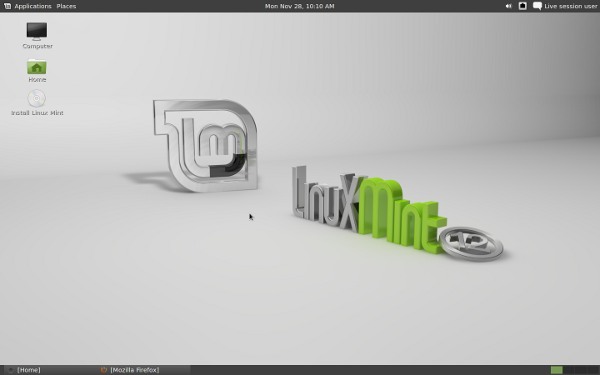
here I use linux mint